

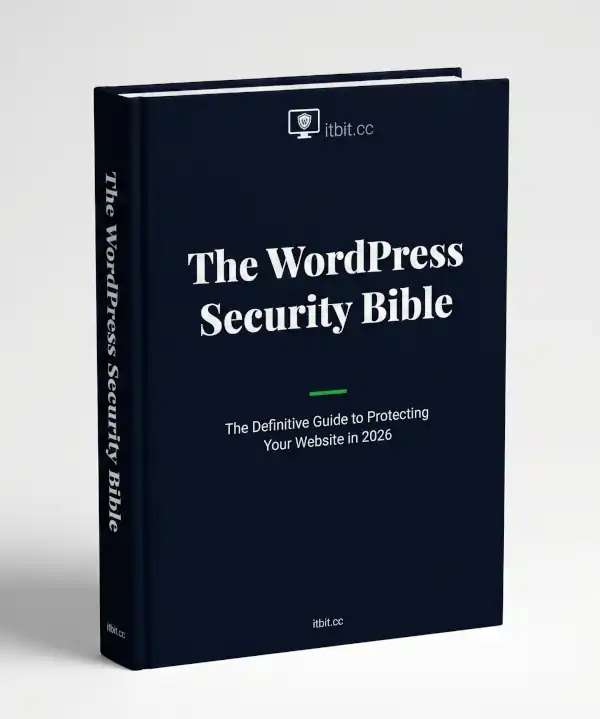
The WordPress Security Bible
11,334 New Vulnerabilities Were Found in WordPress Last Year.
How Many Are on Your Site Right Now?
The definitive guide to WordPress security — 87 pages, 10 chapters, zero jargon.
Everything you need to protect your website, written for people who’d rather run their business than become a security expert. €39.
THE SETUP
Here’s the thing about WordPress security: most of the advice out there starts with “install this plugin” and ends with “you’re welcome.” It’s like telling someone to put a padlock on their front door without mentioning that the back door is wide open, the windows don’t lock, and there’s a stranger living in the attic.
WordPress powers 43% of the internet. That’s the good news — it means there’s a massive community, thousands of plugins, and a theme for everything.
It’s also the bad news. Because when 43% of the internet runs on the same software, every vulnerability is a treasure map for anyone who knows how to read it.
In 2025, 91% of all WordPress vulnerabilities were found in plugins.
Not in WordPress itself — in the things people bolt onto it.
And the median time from a vulnerability being publicly disclosed to someone exploiting it? Five hours. Not five days. Not five weeks. Five hours. That’s less time than it takes most people to notice they have an update pending.
The old approach — check for updates once a week, run a security scan when you remember, hope for the best — isn’t just outdated.
It’s the digital equivalent of leaving your car unlocked in a car park and being surprised when the stereo goes missing.
THE BOOK
The Guide Your Web Developer Assumed You Didn’t Want.
“The WordPress Security Bible” is 87 pages of everything you need to know about protecting your WordPress website — written in plain English by the security team at itbit.cc.
It doesn’t assume you know what PHP is.
It doesn’t assume you enjoy reading about database tables.
It explains every concept using analogies you’ll actually remember — buildings, restaurants, hotel rooms, car parks, and the occasional festival wristband — so that when you’re done, you understand not just what to do, but why it matters.
Every chapter ends with a concrete checklist.
Not “consider implementing best practices.” Actual steps. Tick them off. Move on with your life.
This is the book for people who want to protect their website properly and then get back to the work that actually pays the bills.
WHAT’S INSIDE
10 Chapters. From “How Does This Actually Work?” to “What Do I Do When It All Goes Wrong?”
- How WordPress Security Actually Works — Your site has four layers: the web server, the application, the database, and the humans. This chapter explains each one using a building analogy that makes the whole thing click. You’ll understand where attacks actually happen — and why “install a security plugin” is only part of the answer.
- The Threat Landscape in 2026 — 11,334 new vulnerabilities. A 42% increase year-over-year. Exploitation within five hours. This chapter lays out the numbers, the attack types, and three real-world case studies — including a law firm that lost its search rankings, a campaign that hijacked 20,000 sites, and small businesses that lost everything because they hadn’t updated a plugin in eight months.
- Your Security Foundation — Hosting, SSL, passwords, user roles, and two-factor authentication. None of it is glamorous. All of it eliminates the vast majority of attack vectors. This is the chapter where you stop being an easy target.
- Plugin & Theme Security — Plugins account for 91% of all vulnerabilities. This chapter gives you a concrete evaluation checklist for every plugin you install — active installations, update history, developer reputation, vulnerability track record. Plus a management framework for the ones you already have.
- Hardening Your WordPress Installation — File permissions, wp-config.php security, database hardening, disabling XML-RPC, securing the REST API, security headers, and login protection. The chapter is technical. The instructions are step-by-step. The checklist at the end has 17 items ranked by priority.
- Firewalls & Monitoring — The difference between a cloud WAF, a server-level WAF, and a plugin-based WAF — and why even the best ones only blocked 60.7% of real WordPress exploits in testing. Plus uptime monitoring, file integrity monitoring, activity logging, and how to build layered defence that actually works.
- Backup Strategy — The 3-2-1 rule, what to back up, how often, where to store it, how to test it, and how to secure it. Including a retention schedule, a comparison of backup plugins, and the one drill you should run every quarter that most people never do.
- Incident Response — An hour-by-hour playbook for when things go wrong. Hour 0: verify and document. Hours 0–1: take the site offline, change every password, kill every session. Hours 1–4: check logs, scan for malware, find the entry point. Hours 4–12: clean or restore. Hours 12–24: notify, monitor, breathe. Plus a printable checklist you’ll be glad you have.
- Ongoing Maintenance — A complete security calendar: what to check daily (5 minutes), weekly (30 minutes), monthly (2 hours), and quarterly (half a day). Most of it can be automated. The rest takes less time than your morning coffee.
- When to Call a Professional — The five signs you’re out of your depth, what professional security services actually do, how to choose a provider, and a tiered approach that matches your investment to your risk level. Because knowing when to ask for help is itself a security skill.
WHO THIS IS FOR
For People Who Own a WordPress Website and Would Prefer to Keep It.
You built a website. Maybe you built it yourself, maybe you paid someone. Either way, it’s live, it’s got your business on it, and you’d rather not wake up one morning to find it’s been turned into a pharmacy advertisement.
You’re not a developer. You’re not a security researcher. You’re someone who runs a business and happens to have a WordPress site — which, statistically, means you’re running the most targeted CMS on the planet.
This book is written for you. It assumes you’re smart but busy. It explains everything from scratch, in plain English, with analogies instead of acronyms. And it gives you a clear, prioritised action plan so you know exactly what to do first, what to do next, and what can wait.
Whether you run a personal blog, a small business site, or an e-commerce operation, the principles are the same.
The only difference is how much you stand to lose.
THE STAKES
The Cost of Getting It Wrong.
96% of WordPress professionals have experienced at least one security incident.
64% have suffered a full breach.
Only 27% have a recovery plan.
A basic malware cleanup costs $100–$500.
Lost revenue during downtime runs $5,000 to $350,000+.
SEO recovery takes three to six months — Google blacklisting can cut your traffic by 70%.
Customer notification and legal costs start at $1,000 and climb from there.
GDPR fines can reach millions.
And reputation damage? That one doesn’t have a price tag. It just has consequences.
Compare that to the cost of knowing what you’re doing: a few hours of reading, a few hours of implementation, and a maintenance routine that takes less time per week than watching a single episode of television.
The maths isn’t even close.
WHAT DOES IT COST
€39. One Book. Every Answer.
87 pages. 10 chapters.
Step-by-step instructions.
Printable checklists.
An incident response playbook.
A complete maintenance calendar.
And not a single sentence that requires a computer science degree to understand.
The average WordPress malware cleanup costs $100–$500 — and that’s just the cleanup, not the downtime, not the lost customers, not the months of SEO recovery.
This book is €39.
Read it before you need the cleanup.
That’s less than a single hour of IT consultancy. And the consultant would probably tell you the same things — just with more jargon and a follow-up invoice.
WHAT IF…
“I already have a security plugin.”
Good. Chapter 6 explains why even the best WAFs only blocked 60.7% of real WordPress exploits in independent testing. A security plugin is one layer. This book builds the other six.
“My site is too small to be a target.”
In 2025, 14,000 WordPress sites were compromised in a single campaign. Most were small businesses — local shops, restaurants, service providers — whose sites had been built years ago and received minimal maintenance. Bots don’t check your revenue. They check your defences.
“I’m not technical enough for this.”
That’s exactly who this book is written for. Every concept is explained using everyday analogies. Every action has step-by-step instructions. If you can follow a recipe, you can follow this book.
“I’ll just get my web developer to handle it.”
You can. But you should still understand what they’re doing and why — the same way you understand your accounts even if you have an accountant.
This book takes a few hours to read. It’ll make every conversation with your developer more productive and every invoice easier to evaluate.
SO
Your WordPress site is a business asset. It holds your content, your reputation, your customer relationships, and in many cases, your revenue.
Right now, it’s running on a platform with 11,334 new vulnerabilities discovered last year, where the median time to exploitation is five hours, and where 91% of the risk comes from the plugins you installed to make it useful.
This book takes a few hours to read. The alternative takes a lot longer to recover from.